

HOW TO REGISTER
1. Create your account on our student portal
If you’re accessing our portal for the first time, follow these steps to activate your user account:
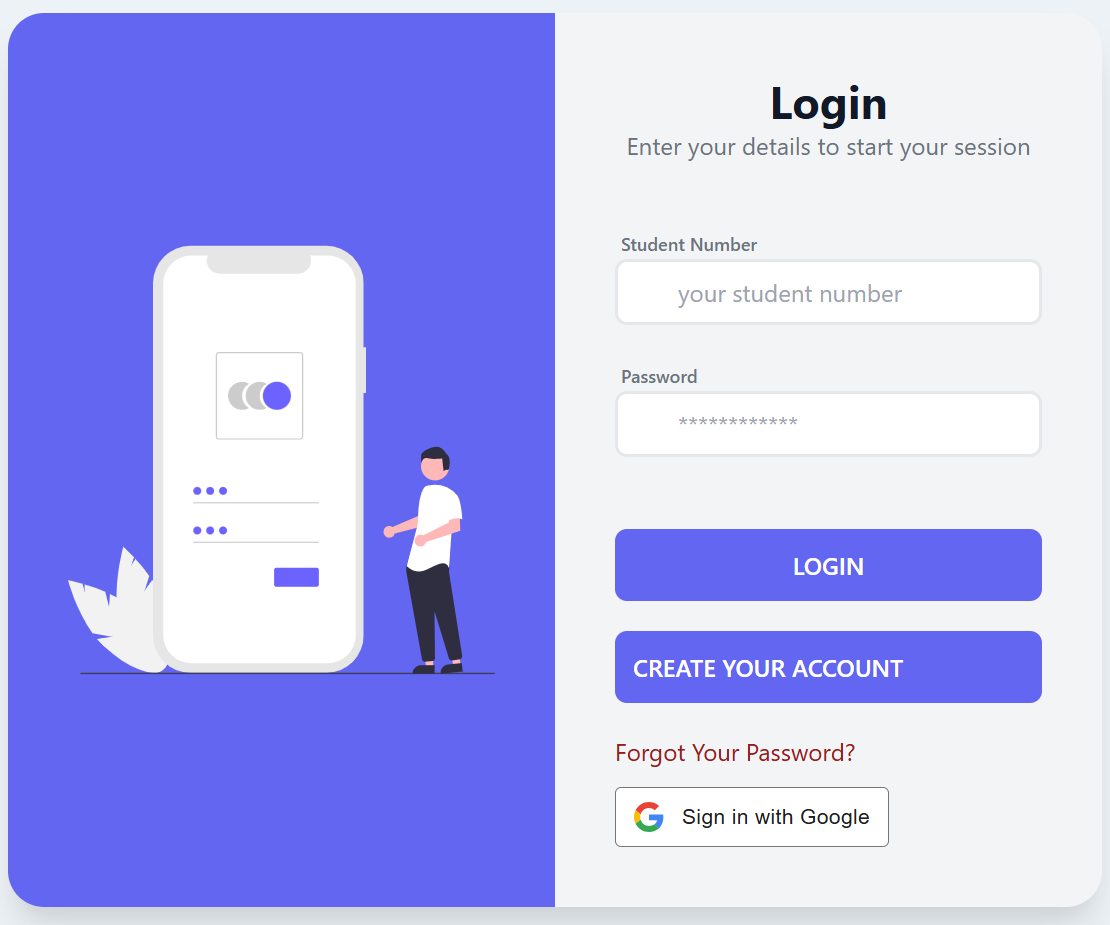
- Click/tap the “Create Your Account” button on the login page.
- Fill in the form with your student number and the required password.
- Click “Save,” which will send an email to your student email account.
- Open the email and confirm your intentions.
2. Login
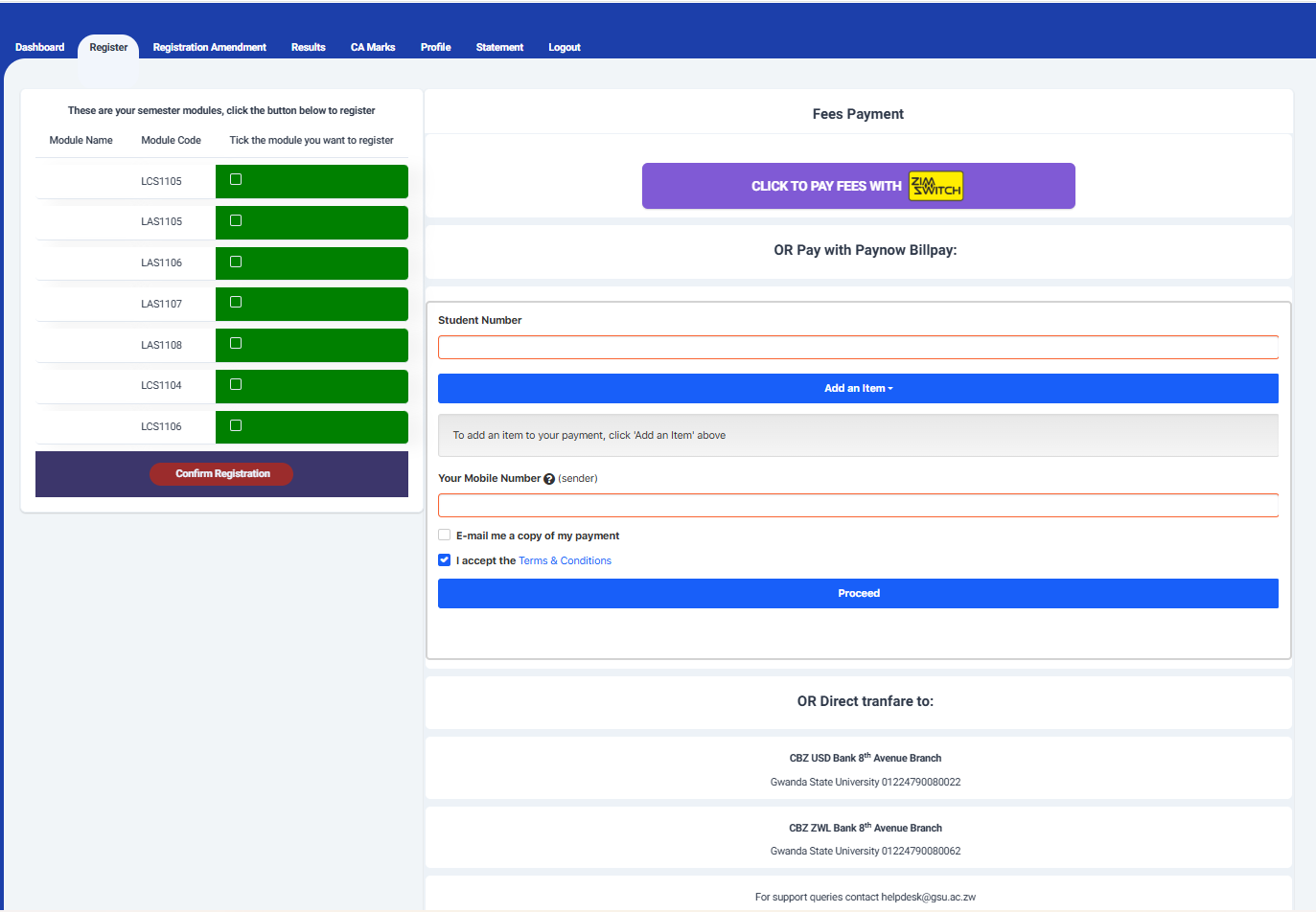
Once logged in, you’ll land on your profile page. To register, click on the Registration tab, which opens a page with two sections:
2.1. Registration Section: Here, you’ll find a list of modules for registration. Confirm the carryover and repeat modules with your department.
Select the modules by clicking/tapping their respective select boxes.
Click “Confirm Registration” and confirm your intentions in the popup window that appears.
2.2. Fee Payment: This section offers an online payment platform (Paynow) for instant remote payments. The platform accepts both ZWL and USD payments through various methods like Zimswitch, Internet/Mobile Banking, OneMoney, EcoCash, Telecash, InnBucks, Vpayments, and direct bank transfers (bank details provided).
SUPPORT
Admissions
You may contactthe admissions office admissions@gsu.ac.zw for any registrations issues.
Payments
Bank: CBZ
Account Name: Gwanda State University
Account Number(ZWL): 01224790080022
Account Number(Nostro): 01224790080062
Branch: 8th Ave Branch
OR
Bank: Agribank
Account Name: Gwanda State University Fees
Account Number (ZWL): 100008361457
Account Number (Nostro): 100008361422
Branch: Filabusi
ICTS
For technical support send an email to helpdesk@gsu.ac.zw.